

Advanced Features
Reach LinkedIn Optimization
Written By:
Last Updated on January 22, 2026
LinkedIn Optimization in Warrant Reach helps you define your credibility zone and focus your profile and content on the topics where your influence is strongest. By aligning your posting cadence, profile positioning, and topic selection, you can optimize how you show up to your network on LinkedIn.
Step-by-Step
Step 1: Set Your Posting Schedule
Select your weekly posting frequency and the days you plan to post. This helps tailor recommendations to your activity level.
Step 2: Add Your LinkedIn Profile
Import your LinkedIn profile PDF or enter your profile details manually. This allows the system to analyze your role, company, and positioning.
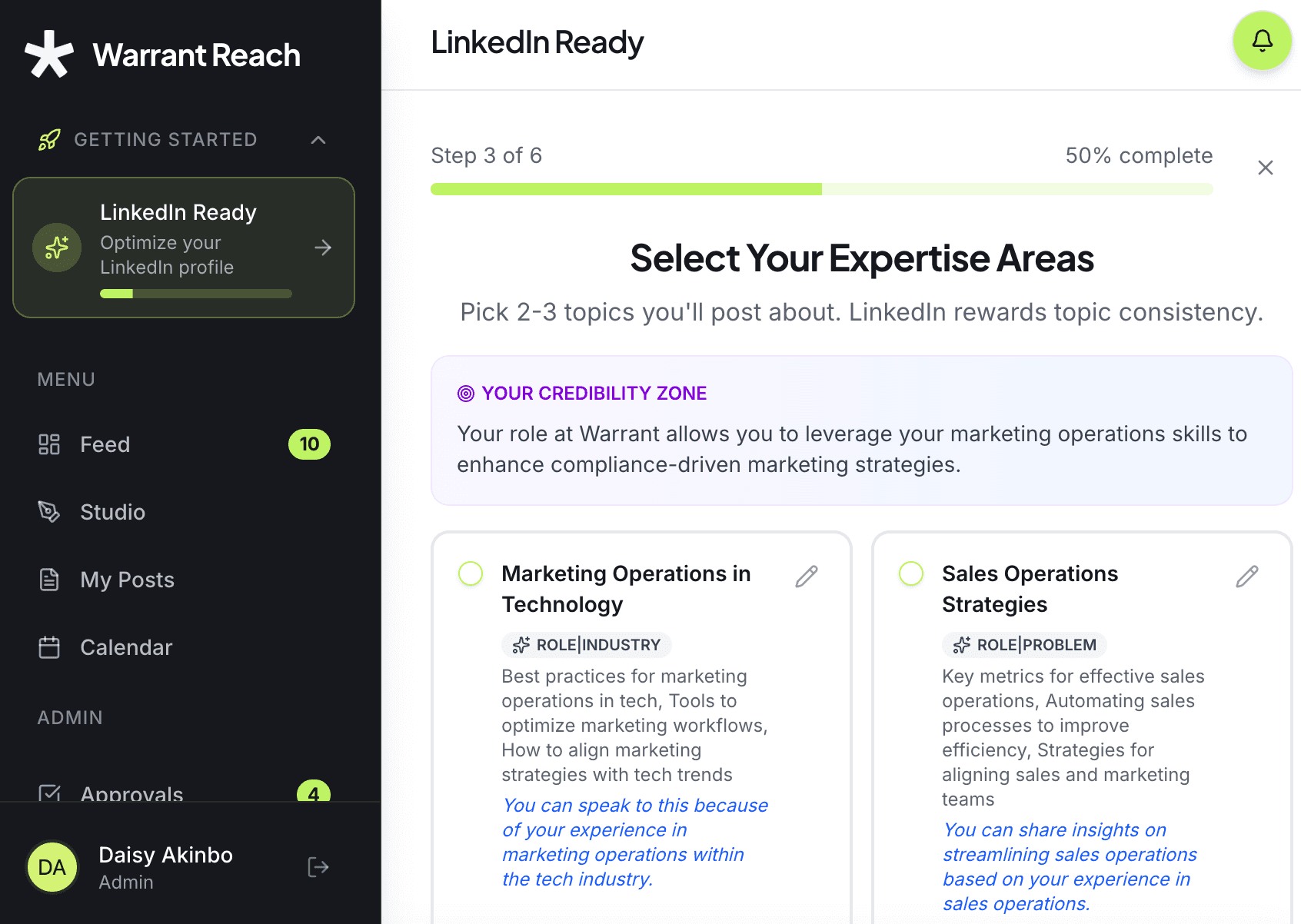
Step 3: Find Your Credibility Zone
The platform analyzes your role and company to determine your credibility zone. You will also be prompted to select 2–3 topics you plan to post about.
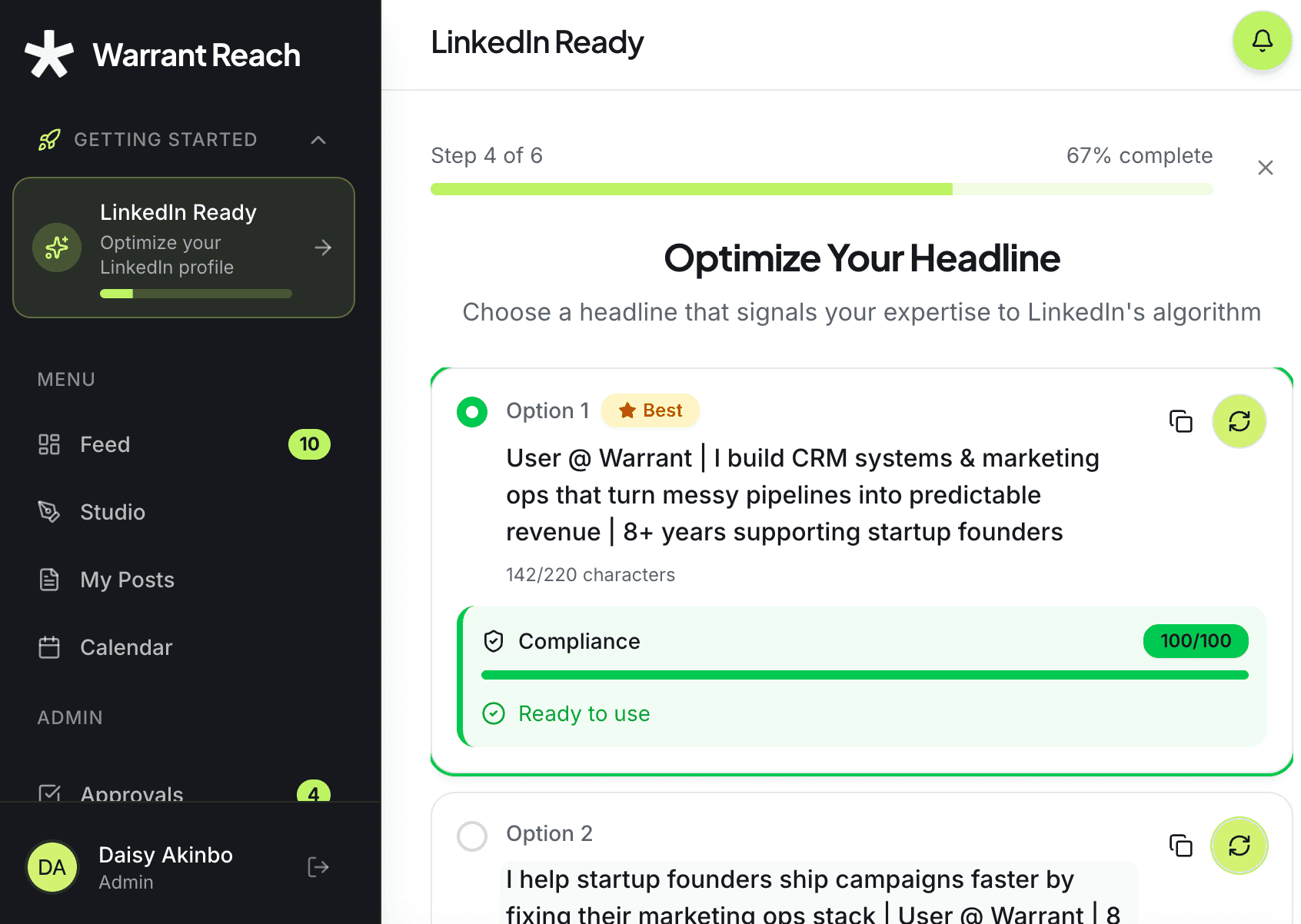
Step 4: Optimize Your Headline
Warrant Reach surfaces three headline options for your LinkedIn profile. Choose the one that best fits your positioning and copy it into your LinkedIn headline field.
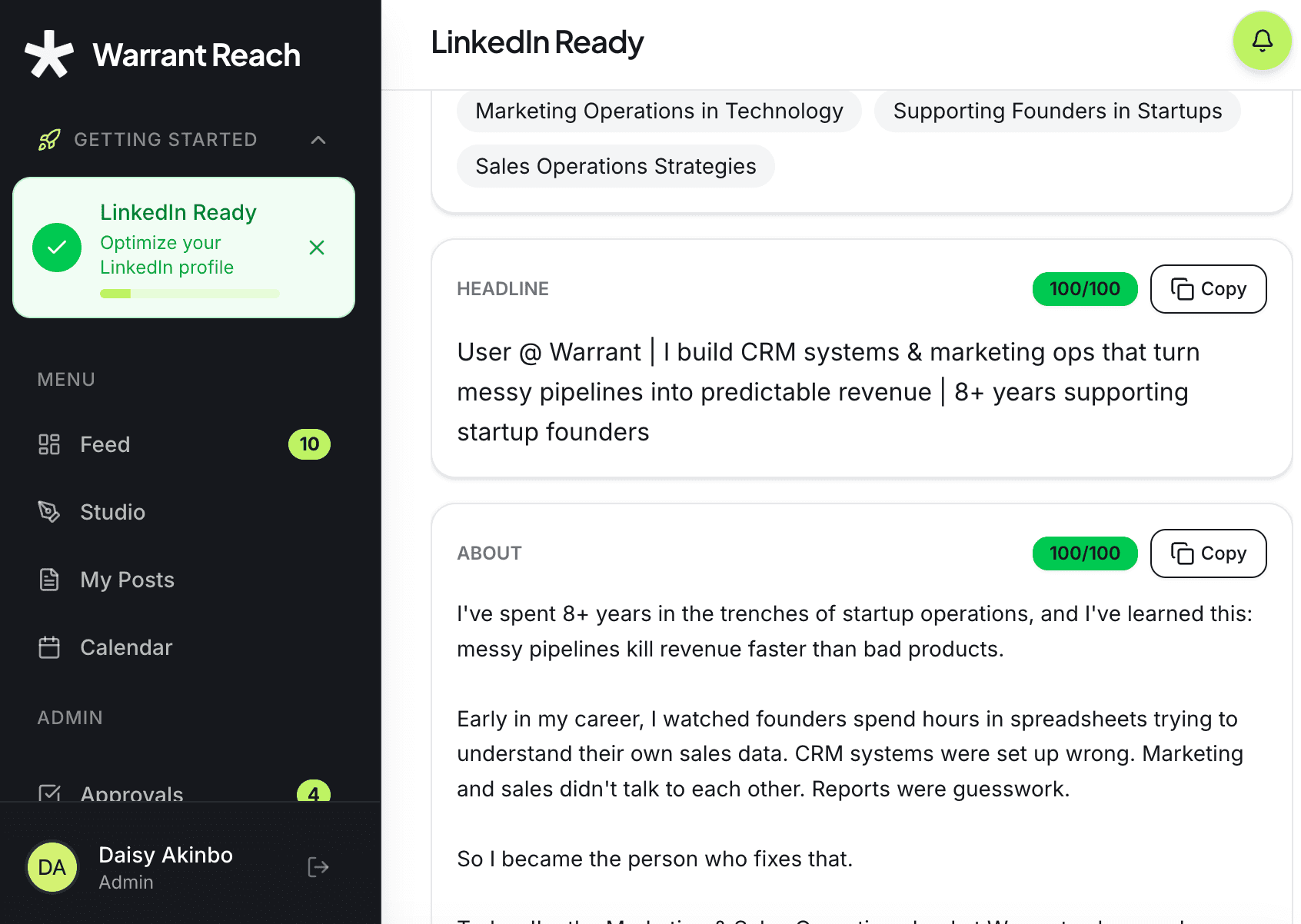
Step 5: Generate Your About Section
The platform generates a LinkedIn About section you can copy and paste directly into your profile.
Tips
Choose topics that align closely with your role and network to improve relevance.
Review and update your posting schedule as your availability changes.
Re-run LinkedIn Optimization periodically as your role, company, or goals evolve.
Need Help?
For further assistance, contact our Support Team at support@hellowarrant.com.
Related to Advanced Features
