


Advanced Features
Getting Started with Warrant Reach
Written By:
Last Updated on December 19, 2025
Getting Started with Warrant Reach
Warrant Reach helps teams create, review, approve, and schedule compliant social content from a single workflow. This guide introduces the core areas of Reach and how to get started.
Sign Up & Access Warrant Reach
After signing up for Warrant, navigate to Reach from your dashboard.
From here, you can also manage your user settings, including:
Updating your profile picture
Managing personal preferences
Reviewing account details
Set Up Your Company & Content Sources
Reach uses your company information to support content creation.
To get started, confirm or complete your company profile, including:
Company name
Industry
Company description
Products & Services
Brand guidelines
Relevant keywords
You can also add Company Highlights to provide additional context using URLs (such as blog posts or announcements) and file uploads (such as PDFs or documents).
Review and add to your News Sources and refresh them as needed to keep information current.
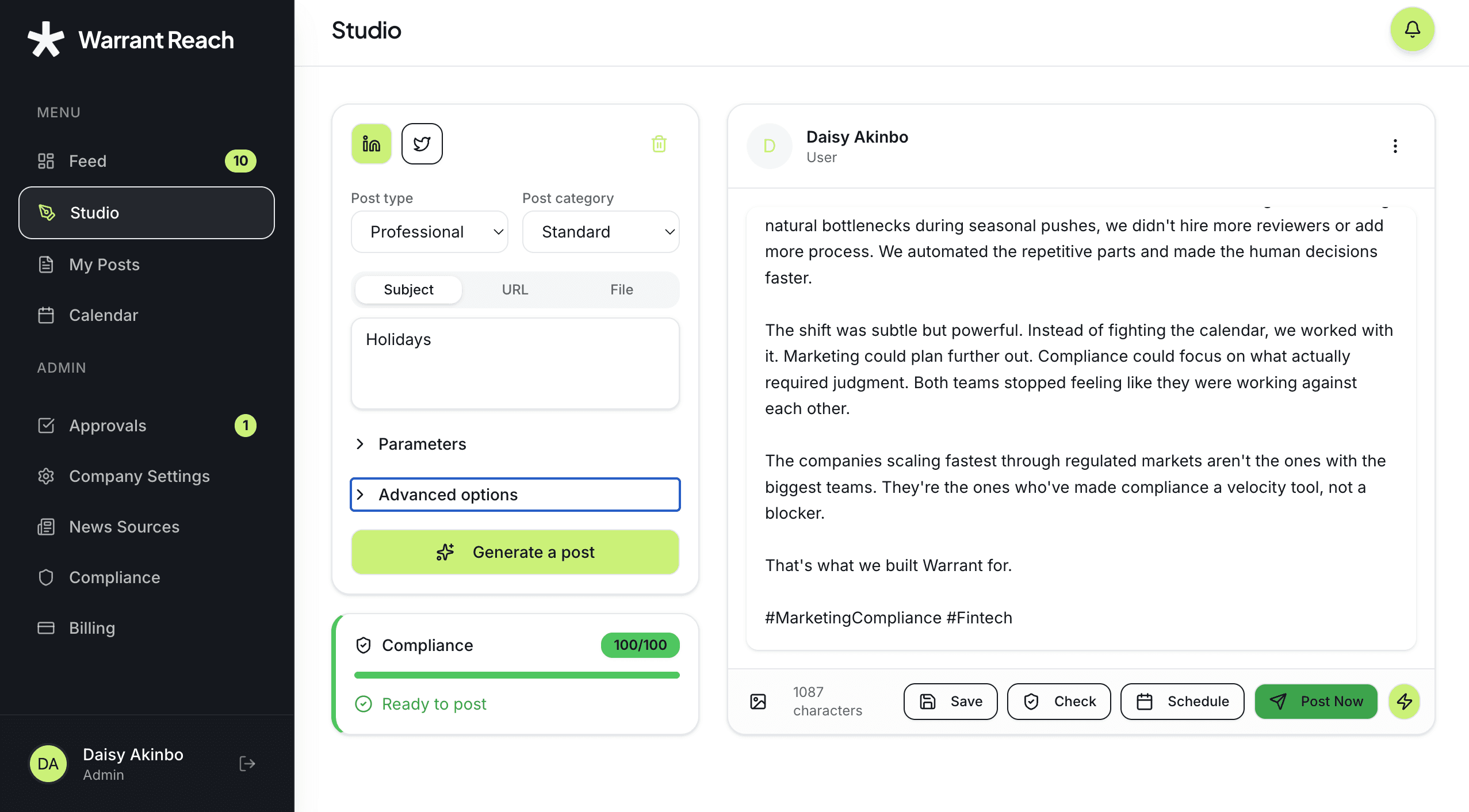
Create Content in Studio
Studio is the primary workspace for creating content in Warrant Reach. Generate posts using company highlights, industry news, keywords, a specific URL, or an image or PDF upload. With Studio, you can create, edit, and schedule social content more efficiently than ever. Studio makes it easier to generate engaging posts, maintain compliance, and streamline your workflow from creation to approval.
Post Creation & Content Improvements
Multi-Image Support: Upload multiple images; AI analyzes all images to generate more contextually relevant content.
Smarter AI Post Generation: Consistently includes emojis and hashtags; improved content quality with structured post format (Hook, Context, Insight, Proof, Action, Hashtags).
Faster Content Processing: Website content is fetched faster when generating posts from articles, enhancing post creation experience.
Compliance & Approval Workflow
Risk-Based Compliance Scoring: Compliance checks use High/Medium/Low risk levels with dynamic scoring based on company rules.
Preserved Compliance History: Previous compliance scores and check results are maintained when editing posts for a full audit trail.
Improved Reviewer Visibility: Posts display reviewer name and profile image, increasing transparency in the approval workflow.
Feed & Highlights
Accurate Highlight Scheduling: Company highlights now appear precisely on their scheduled dates.
Navigation & Usability
Streamlined Post Submission: After submission, users are taken directly to their posts list for easier tracking.
Improved Draft Creation: Creating draft posts from the news feed is smoother with better navigation flow.
You can also add your own thoughts before generating a post. Generated posts open in an editable view, where you can review and refine content.
Review & Submit for Approval
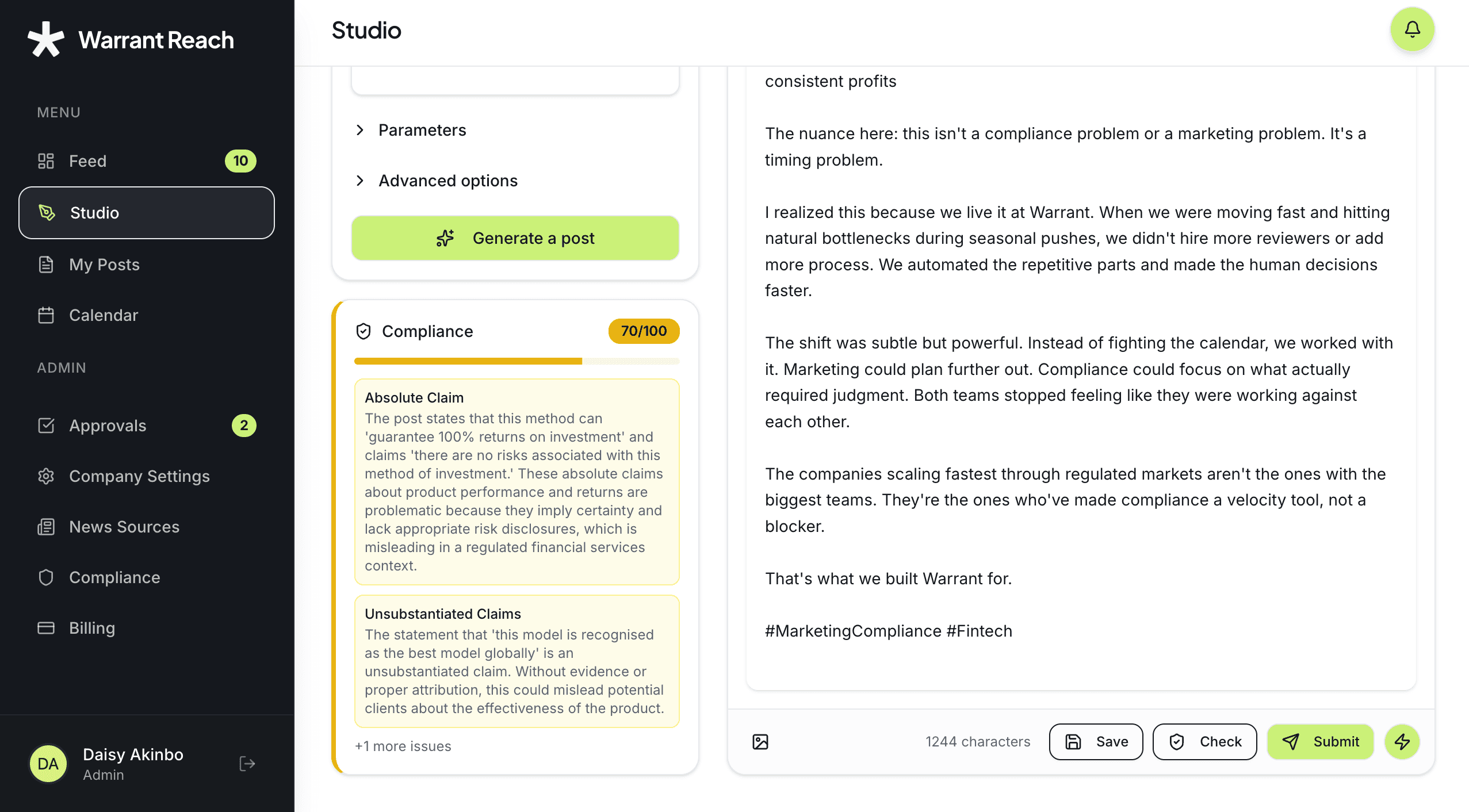
Once a post is generated, click Check for automatic compliance review .
From here, you can:
Proceed to post now or schedule the draft
Submit the post for approval if the compliance score is low
This step helps ensure content is compliant before scheduling or publishing.
Enhance, Schedule & Publish
Before publishing, posts can be enhanced by adding images, adding videos, and refining copy or formatting. Posts submitted for approval can be approved or returned for updates.
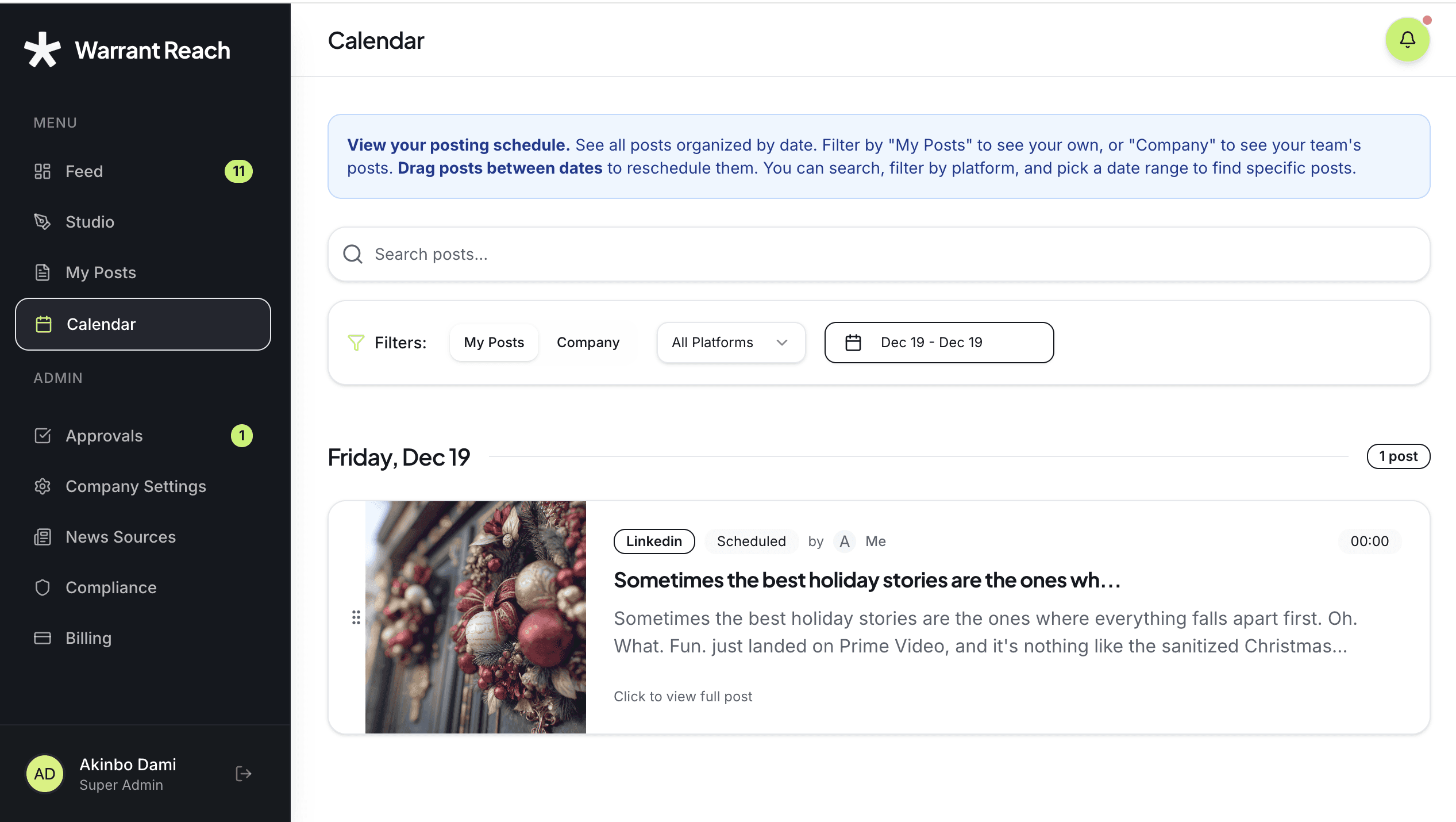
Approved posts can be scheduled for a future date or published immediately. All scheduled and published posts appear in the Calendar.
Engage with Content in the Feed
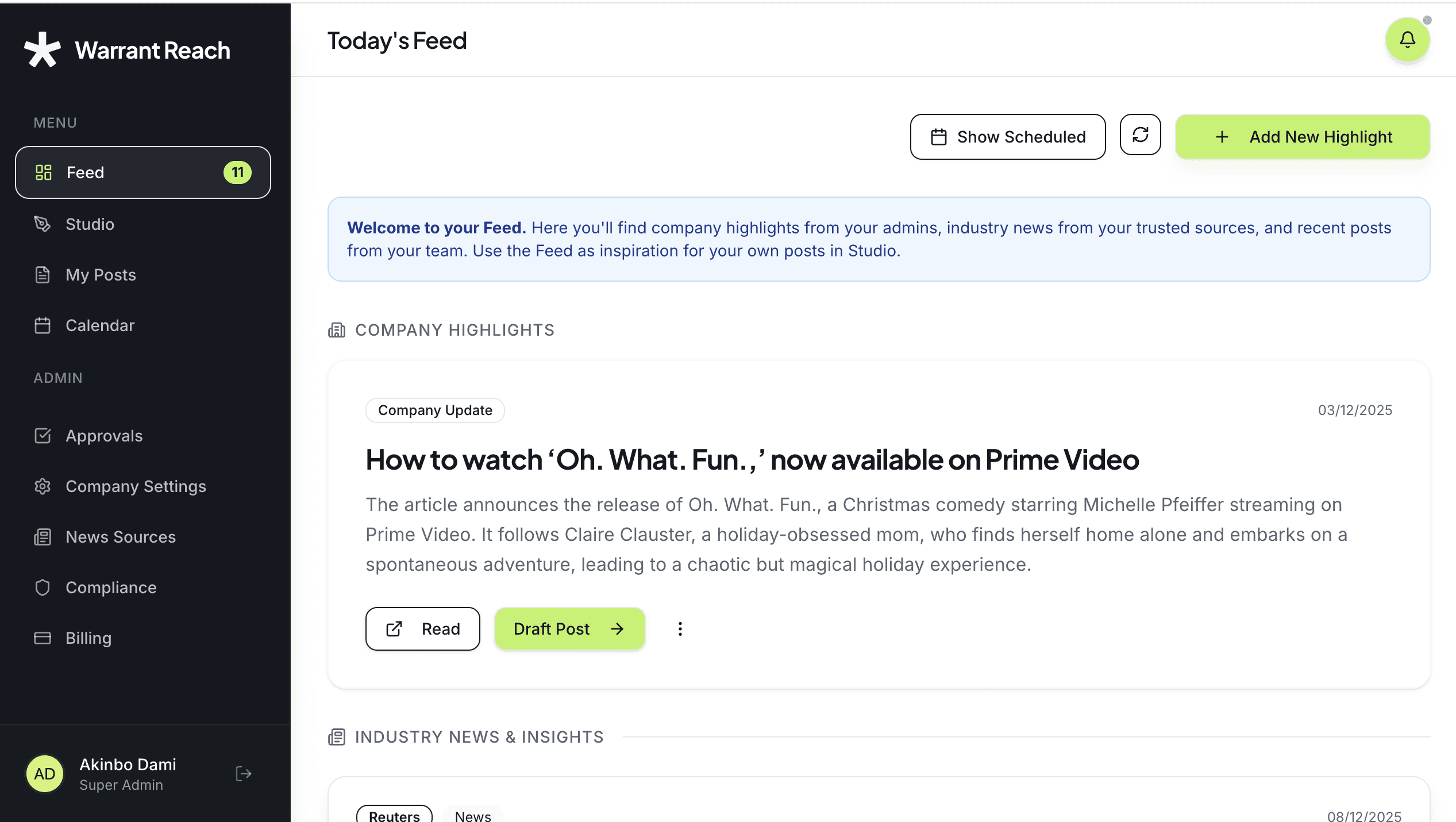
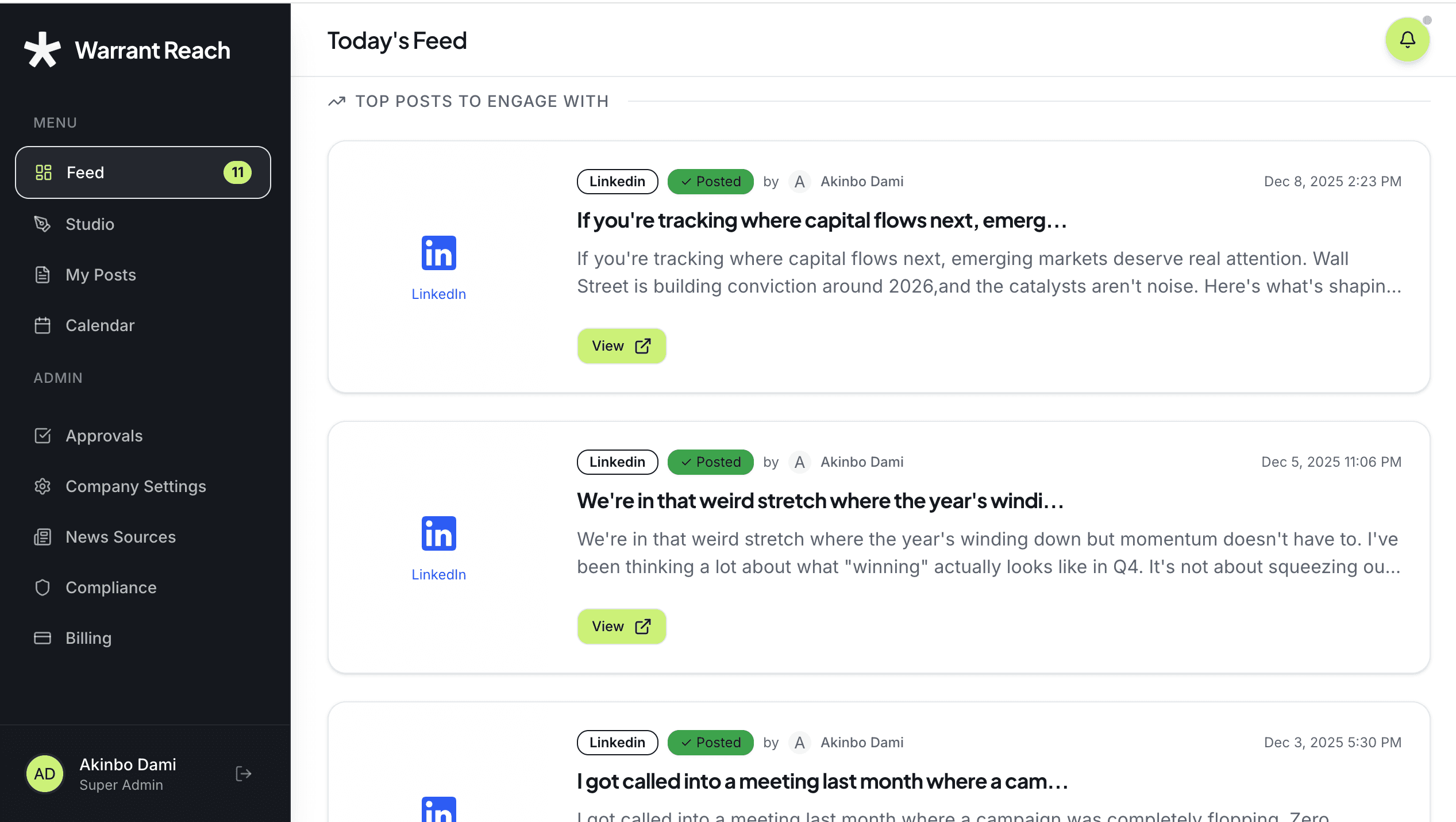
The Feed displays the latest company highlights and relevant industry news for drafting posts. It also shows published content.
From the Feed, you can:
Discover company updates and industry news to inspire new posts
View and engage with published content
Track what has gone live
The Feed and Calendar work together to provide visibility into content activity.
For further assistance, contact our Support Team (support@hellowarrant.com)
Related Content
Related to Advanced Features
